
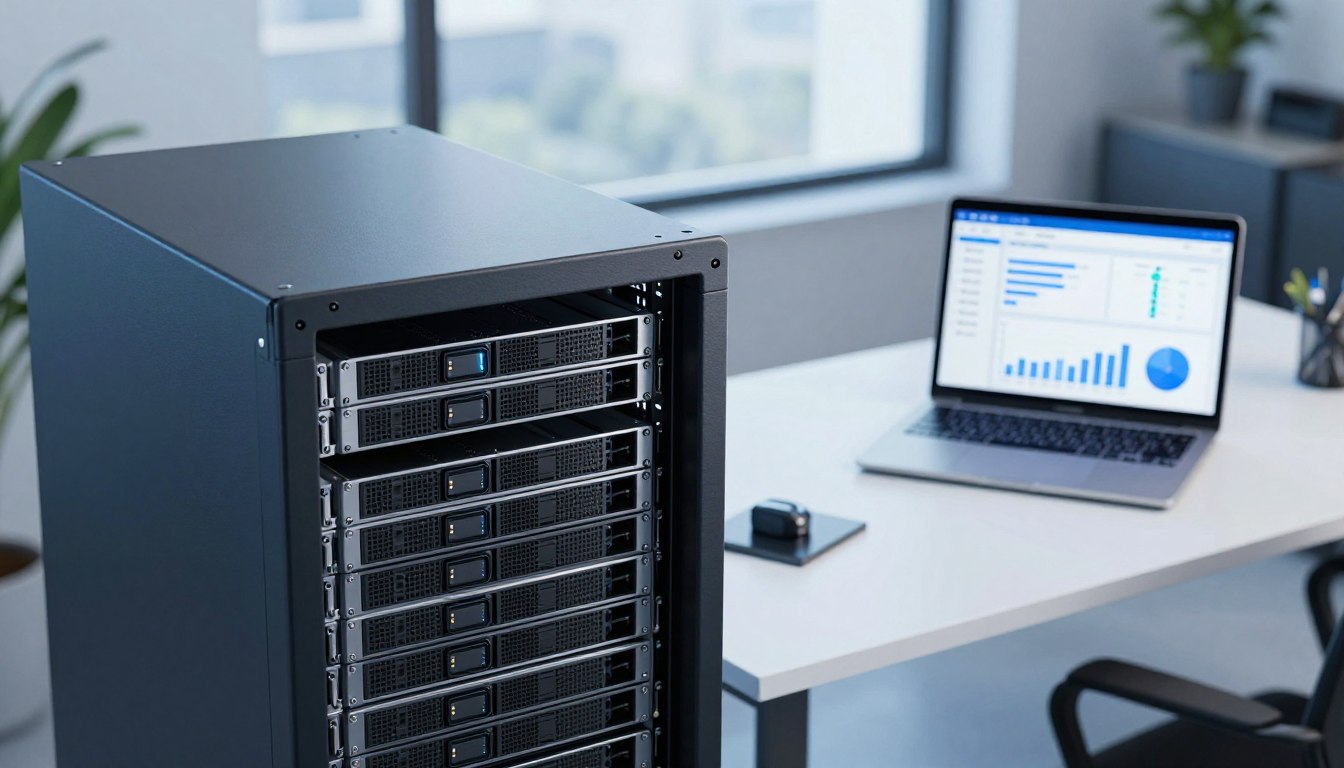




Choosing the right storage is essential for a reliable virtual space. Whether you’re starting a new website, managing big databases, or dealing with lots of emails, your storage space is key to performance.

At www.toolscats.com, we offer strong server solutions that grow with your digital projects. Planning well helps avoid downtime and keeps your apps running smoothly.
This guide helps you figure out how much storage you need. It shows you how to estimate your current use and plan for the future. By following these steps, you can pick a plan that grows with you and keeps your data safe.
Key Takeaways
- Assess your current data footprint before selecting a plan.
- Always include extra space for system logs and temporary files.
- Consider future growth when choosing your initial capacity.
- Database-heavy applications require more overhead than static sites.
- Regular backups are vital for maintaining server integrity.
- Scalable solutions allow you to upgrade as traffic increases.
Why SSD Storage Matters on a VPS
Building a virtual server starts with a solid foundation. This foundation is your storage layer. High-quality VPS SSD storage keeps your data safe and fast.
“Speed is the new currency of the internet, and storage performance is the vault where that speed is kept.”
How SSD Capacity Differs From RAM and CPU Resources
It’s easy to mix up server components. But SSD vs RAM and CPU are different. They each play a key role in your hosting setup.
SSD capacity is how much data your server can hold. RAM is for quick tasks, and the CPU does the heavy lifting.
Think of SSD as your bookshelf. RAM is your desk. You need enough space for books and a fast processor to read them.
Why Fast SSD Storage Improves Website and Application Performance
Fast drives mean faster websites. When a user visits, the server quickly reads files from the disk.
Slow drives cause delays and slow pages. Fast VPS SSD storage cuts down on these delays.
This boost in SSD performance is key for busy sites. It keeps your server running smoothly, even when it’s busy.
What VPS Storage Usually Includes
Your storage holds many important things. It has your operating system, web server, and website files.
It also has databases, logs, and backups. Reliable providers like www.toolscats.com offer strong VPS servers for these needs.
Managing these files well is crucial for SSD performance. Knowing how SSD vs RAM and CPU work helps you use your space wisely.
How Much SSD Storage Do You Need for a VPS?
Figuring out how much storage you need helps avoid wasting money on unused space. Instead of guessing, do a detailed check of your data. This way, your VPS storage capacity matches your needs. When it’s time to set up, www.toolscats.com has flexible VPS options that grow with your project.
List Every Data Category the VPS Must Store
To find out your VPS storage requirements, list all your data. This includes your operating system, web server software, and application code. Remember to include databases, media, email archives, and your backup plan.
Estimate Current Usage Before Choosing a Plan
Before picking a hosting plan, measure your current data size. Use tools like du or df to see how much space your files take up. This gives you a solid starting point for your new server.
Calculate Required Capacity With a Growth Buffer
After getting your baseline, add a buffer for future growth. Failing to plan for logs and temporary files is a common mistake. Planning ahead saves you from costly upgrades later.
Use the storage formula for files, software, databases, backups, and free space
For a simple estimate, add your current data to your expected growth. Then, include your backup needs and a safety margin.
| Category | Description | Buffer Recommendation |
|---|---|---|
| Static Files | Code, images, and assets | 20% growth |
| Databases | Active records and logs | 30% growth |
| Backups | Retention copies | 100% of primary data |
Reserve capacity for safe system operation and temporary files
Always keep 15% to 20% of your disk space free for the OS. This VPS storage capacity is crucial for updates, security scans, and temporary files. Keeping this buffer ensures your server stays stable and fast, even under heavy use.
Estimate Storage for a Personal Website or Business Website
Planning your website SSD storage is key. You need to understand your digital footprint. By breaking down your site into parts, your VPS from www.toolscats.com will stay efficient and fast. A website storage calculator helps you add up current and future storage needs.
Account for the Operating System and Web Server Stack
Every VPS starts with an operating system like Ubuntu or Debian. You’ll need space for the kernel, system libraries, and web server software like Nginx or Apache. This base layer usually needs 2GB to 5GB of disk space.
Measure Website Files, Themes, Plugins, and Uploaded Content
Your Content Management System (CMS) files are the next layer. WordPress or similar platforms need space for core files, themes, and plugins. Regularly check these directories to remove unused extensions that take up space.
Estimate Image, Video, and Document Storage
Media assets like high-resolution images and videos take up a lot of space. It’s important to track these files to predict how much space you’ll need as you add new content.
Plan Space for Logs, Caches, and Staging Copies
System logs and temporary cache files grow as your site gets more traffic. Keeping a staging environment for testing updates also needs duplicate files. Make sure to account for these hidden users to avoid service issues.
Reduce unnecessary usage by compressing media and rotating logs
Keep your server running smoothly by using automated maintenance tasks. Compress images before uploading and set up log rotation to avoid filling up your server. These habits help your VPS from www.toolscats.com stay efficient for the long term.
| Component Type | Estimated Size | Growth Factor |
|---|---|---|
| OS & Web Stack | 5 GB | Low |
| CMS & Plugins | 2 GB | Moderate |
| Media Assets | 10 GB | High |
| Logs & Caches | 3 GB | High |
Calculate Storage Requirements for Web Applications
Effective application data storage is key for a reliable VPS. Hosting complex software needs more than just file storage. Good planning keeps your services fast, even as more users join.
Separate Application Code From User-Generated Data
Keep your source code and user data separate. Your code stays the same, but user data grows. This helps you plan for more storage as your site grows.
Estimate Storage for Frameworks, Dependencies, and Containers
Today’s apps use big frameworks and lots of dependencies. Tools like npm and Docker take up a lot of space. Choose a plan that fits your needs to avoid running out of space.
- Frameworks: Base libraries and core engine files.
- Dependencies: Third-party packages and modules.
- Containers: Images and layers for isolated environments.
Plan for Application Logs, Sessions, and Temporary Files
Apps make a lot of temporary data. Logs, session files, and caches can grow fast. Regular cleaning keeps your disk space free.
Account for Multiple Environments and Deployment Versions
Many developers use different environments for testing and live sites. Each needs its own space. Make sure your VPS can handle all versions.
Keep production, staging, and development data from competing for the same space
It’s important to keep environments separate. This stops testing data from using up production space. Using different directories or disks keeps your system stable. This way, development won’t slow down your live web application storage.
Include Databases, Email, and Business Data
Many users don’t realize how much space their business apps and email take up. When you set up a server at www.toolscats.com, you need to think beyond just file numbers. This ensures your server stays stable. Planning for database storage requirements and email data helps avoid downtime.
Estimate Database Size and Expected Growth
Your database is always changing. It’s not just the visible data that matters; raw table data also grows. Proactive monitoring helps predict your app’s disk space needs for the next year.
“Data is the lifeblood of modern business, but it requires a well-managed home to thrive without overwhelming your infrastructure.”
Allow for Database Indexes, Transaction Logs, and Maintenance Copies
When figuring out database storage requirements, remember indexes are key but take up a lot of space. You also need room for transaction logs that track data changes. Plus, automated tasks can create temporary copies that fill up storage if not managed.
Calculate Mailbox, Attachment, and Message Storage
Good VPS email storage management means knowing how long to keep messages. Mailboxes grow fast with attachments, archived threads, and logs. Don’t forget about spam filters that store quarantined items, taking up space.
- Set strict quotas for individual user mailboxes.
- Implement automated cleanup for old or junk messages.
- Monitor attachment sizes to prevent storage spikes.
Protect Critical Business Files From Consuming All Available Space
It’s smart to keep your important business files separate from your main data. If one directory gets too big, it could crash your database or web services. Use logical partitions or storage limits to keep your server running smoothly on a www.toolscats.com server.
Budget SSD Space for Backups and Recovery
Many users don’t realize how much space backups take up. When setting up your server, remember to add extra space for backups. Good VPS backup storage management keeps your system running even when data is lost.

Decide Which Data Requires Local Backups
You don’t need to back up every file. Focus on important business data, database files, and key scripts. Leave out temporary files, cache, and logs to save space.
Compare Full, Incremental, and Snapshot Storage Needs
Knowing about different backups is key for space management. Full backups take up the most space. Incremental backups save changes since the last backup. Snapshots capture the file system’s state at a moment.
Calculate Backup Retention by Number of Copies and Frequency
Your VPS backup retention policy affects storage needs. Keeping too many backups can fill your disk fast. You need to balance keeping data with your SSD’s limits.
Use a practical example for daily backups and weekly retention
Imagine your data is 100GB. Daily full backups for a week need 700GB space. Switching to weekly full backups and daily increments can save a lot of space.
| Backup Type | Frequency | Retention | Space Impact |
|---|---|---|---|
| Full | Daily | 7 Days | High |
| Incremental | Daily | 7 Days | Low |
| Snapshot | On-demand | Variable | Medium |
Understand Why a VPS Backup Should Not Be the Only Backup
Dependence on server storage is risky. If the server fails, your data and backups are lost. A good disaster plan needs more than one server.
Store an additional copy in separate infrastructure or object storage
Keep a backup off-site. While a VPS from www.toolscats.com is great, also store backups elsewhere. This keeps your business safe from server failures or data damage.
Leave Room for Performance, Security, and Future Growth
A successful VPS deployment is more than just setting it up. It’s about managing space well. Keeping VPS free space is key for your system and apps to run smoothly.
Maintain Free Space for Stable VPS Performance
Your server needs extra space for daily tasks. If it’s almost full, your system might slow down or crash.
Most file systems need 10% to 15% free space. This lets your servers handle busy times without problems.
Reserve Capacity for Security Scans, Updates, and Temporary Files
Keeping your server safe takes up space. Security scans and updates need room to work.
If your disk is full, these updates can’t happen. Always keep some space for these important tasks.
Plan for Traffic Growth, New Features, and Larger Databases
Websites and apps grow over time. As more people visit, your data will too.
Plan ahead to avoid sudden changes. Choose scalable solutions from www.toolscats.com to grow with your business.
Set Storage Alerts Before the Disk Reaches Capacity
Good VPS storage monitoring stops service issues. Set alerts early to avoid running out of space.
Monitor disk usage with Linux commands and VPS control-panel tools
Use Linux commands like df -h or du -sh to find big files. Many control panels also offer easy-to-use dashboards for VPS storage monitoring.
| Strategy | Benefit | Frequency |
|---|---|---|
| Disk Usage Checks | Identifies bloat | Weekly |
| Log Rotation | Prevents overflow | Automated |
| Capacity Alerts | Prevents downtime | Real-time |
| Scalable Upgrades | Supports growth | As needed |
By setting alerts and acting early, you keep your server stable. With www.toolscats.com, you can focus on your content while the server handles the rest.
Choose the Right VPS Storage Plan From Toolscats
Choosing the right storage plan is key in setting up your server. With Toolscats VPS servers, you get a strong infrastructure for your needs. It’s important to match your storage with your app’s demands for effective scalable VPS hosting.

Match SSD Capacity to the VPS Workload
Your storage needs change with your project. It’s crucial to know your data size before picking a plan.
Choose a small plan for lightweight sites, testing, or development
For simple blogs or testing environments, a small storage plan works well. It offers enough space for basic files and scripts without extra costs.
Choose a mid-range plan for business websites and growing applications
Business sites need more space for themes, plugins, and databases. A mid-range plan helps handle more traffic and updates smoothly.
Choose a larger plan for media, databases, email, or multiple projects
Large media sites or complex databases need lots of storage. A bigger plan prevents space issues during important times.
Verify Upgrade Options Before Deploying
Check if you can easily scale your resources before deploying. A good provider lets you grow your SSD as needed. Make sure upgrades can be done without significant downtime to keep your services online.
Review Backup, Snapshot, and Storage Policies
Storage isn’t just for live files. You also need space for backups and snapshots. Knowing these policies helps you understand your total storage use.
Use VPS Servers From www.toolscats.com for Scalable Hosting
Scalable VPS hosting lets your infrastructure grow with your business. Toolscats VPS servers offer tools to keep an eye on your disk usage.
Confirm the available SSD capacity, resource limits, and management features
Always check the SSD capacity and resource limits before starting. Knowing your dashboard features helps you monitor storage health in real-time.
Ask how storage expansion affects pricing and service availability
Find out the costs for future storage upgrades. Knowing if an upgrade needs a restart or migration helps plan maintenance better.
Adjust Your SSD Allocation After Deployment
Your storage needs will change once your website or app is live. Initial guesses often miss the fast growth of server logs, user uploads, and cache files in real use.
Measure Actual Usage During the First Weeks
Watch your disk use closely in the first weeks. You might see database growth or backup habits using space faster than expected. Tracking these trends early helps you see your true needs.
Identify Large Directories, Files, and Database Tables
Use command-line tools to find big storage users. Big log files or unused database tables often hide in subdirectories, eating up space.
- Check /var/log for big system or app logs.
- Look at database tables for rows that are no longer needed.
- Scan media upload folders for duplicate or unoptimized files.
Remove Unneeded Caches, Logs, Packages, and Old Backups
Regular upkeep keeps your server running smoothly. Clearing expired cache files and old logs frees up space.
Make sure not to delete important system files or active database records. Routine cleanup keeps your disk free from clutter.
Upgrade Storage Before Capacity Becomes a Service Risk
If disk use keeps going up, act fast before hitting a limit. Running out of space can damage databases and cause service outages that upset users.
When you see your space getting full, it’s time to upgrade VPS storage. Choose a plan from www.toolscats.com to keep your project running smoothly.
Use a repeatable monthly storage review for websites and applications
Make a regular schedule to check your server every month. This proactive step helps spot issues before they cause problems. By staying on top of things, your infrastructure will grow with your project.
Conclusion
Effective VPS storage planning is about finding the right balance. You need to think about your current data and what you might need in the future. It’s important to consider software, database growth, and email archives.
Keeping enough free space is key for system stability. Monitoring usage patterns is crucial. This way, you can adjust resources before they hit critical limits.
Every workload is different, so there’s no one-size-fits-all storage solution. You must evaluate your specific needs. Look at performance resources, backup policies, and how easy it is to upgrade.
Reliable providers like www.toolscats.com offer scalable environments. These are perfect for your growing digital projects.
Take charge of your server environment now. Think about your long-term data goals. Visit www.toolscats.com to find a VPS that meets your needs and supports your growth.
FAQ
How does SSD storage capacity differ from RAM and CPU resources on a Toolscats VPS?
RAM and CPU handle tasks and speed. SSD storage holds your data. A high-performance VPS from www.toolscats.com uses Solid State Drives. This makes data access much faster than hard drives, improving app speed.
What is the minimum SSD space required for a standard Linux operating system and web server?
You need 3GB to 5GB for a Linux system and web server. But, add 10GB for security updates, logs, and temporary files. This ensures enough space for your website and databases.
Can I upgrade my storage plan on www.toolscats.com if my website grows?
Yes, www.toolscats.com offers scalable hosting. If your data grows, you can switch to a bigger plan. Use Linux commands like `df -h` to track usage and set alerts to avoid running out of space.
Why is it risky to use my VPS SSD as the only location for backups?
Using your VPS SSD for backups takes up space and risks data loss. It’s safer to use object storage or other servers for backups. This keeps your main SSD free for your website.
How much extra “free space” should I maintain for optimal performance?
Keep 15% to 20% of your SSD free for performance. This space is for database upkeep, log rotation, and security scans. Running out of space can slow down your VPS.
Do email accounts and attachments count toward my VPS storage limit?
Yes, email and attachments use SSD space. For businesses with lots of emails, this can add up fast. Regularly clean out spam to keep your storage free.
How do staging environments and containers impact my storage needs?
Staging environments and containers use more space. Each image and clone adds to your storage needs. Make sure your hosting plan can handle these extra needs.

Leave a Reply